Support Center

Need more help?
Reach out to support@sosha.ai with any additional questions or submit a ticket below.
Submit ticketAccessing your SoSha Account
To log into your SoSha account, sign in with your email address and password.
Troubleshooting
Can’t remember the email address used to log in? Email support@sosha.ai for further assistance.
Can’t remember your password? Visit Resetting or Changing your password.
To log into your account:
Head to sosha.ai and click "Log In" in the top right corner, or visit app.sosha.ai.

Enter your email address and password, then click "Sign In."

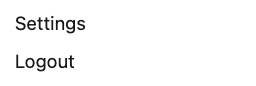
To log out of your account:
Click the person icon in the top-right corner of the page.

From the dropdown menu, select "Log Out."