Reach out to support@sosha.ai with any additional questions or submit a ticket below.
Submit ticketAssigning a Label to a Post
Labels are tags that can be used across all your toolkits to organize the posts you build. Once you've created labels, you can filter posts and send specific links to people only using that label.
To add an existing label to one post:
Hover over the post you want to label.
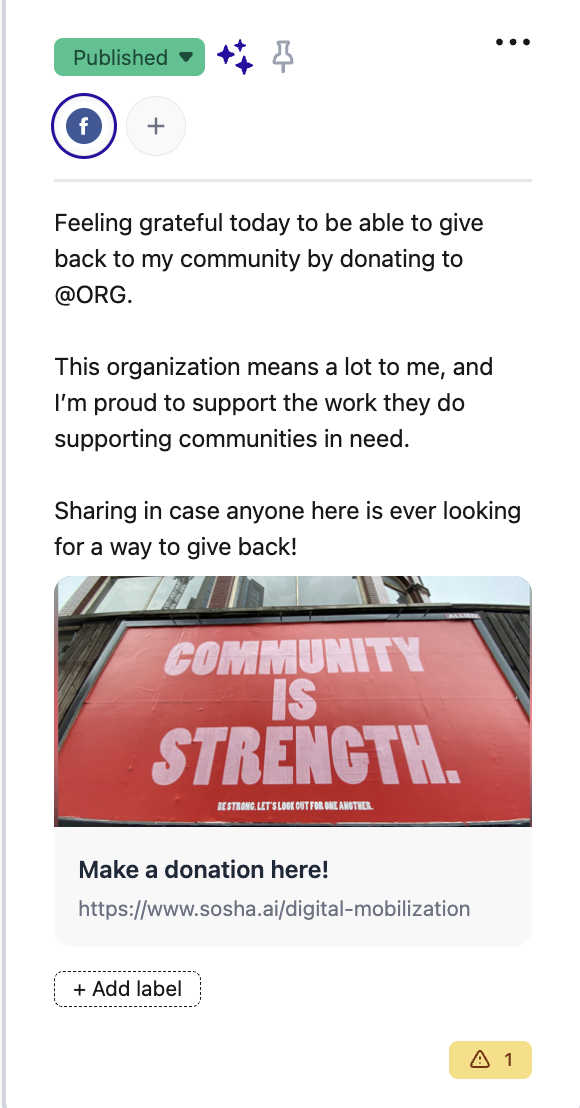
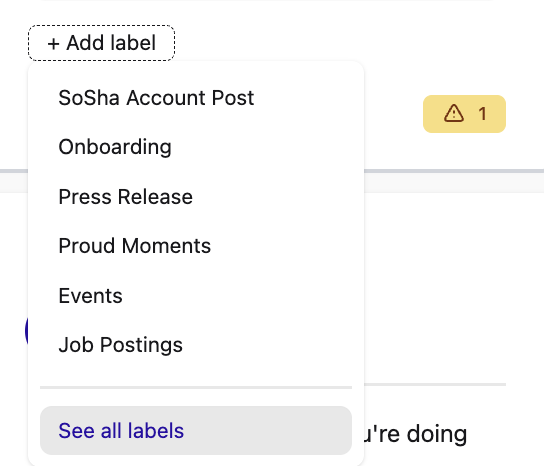
Click '+ Add Label' at the bottom of the post. Select a label from the list or click 'See all labels' to open up the menu.
Search or scroll through the options your team has already created. You can click more than one.
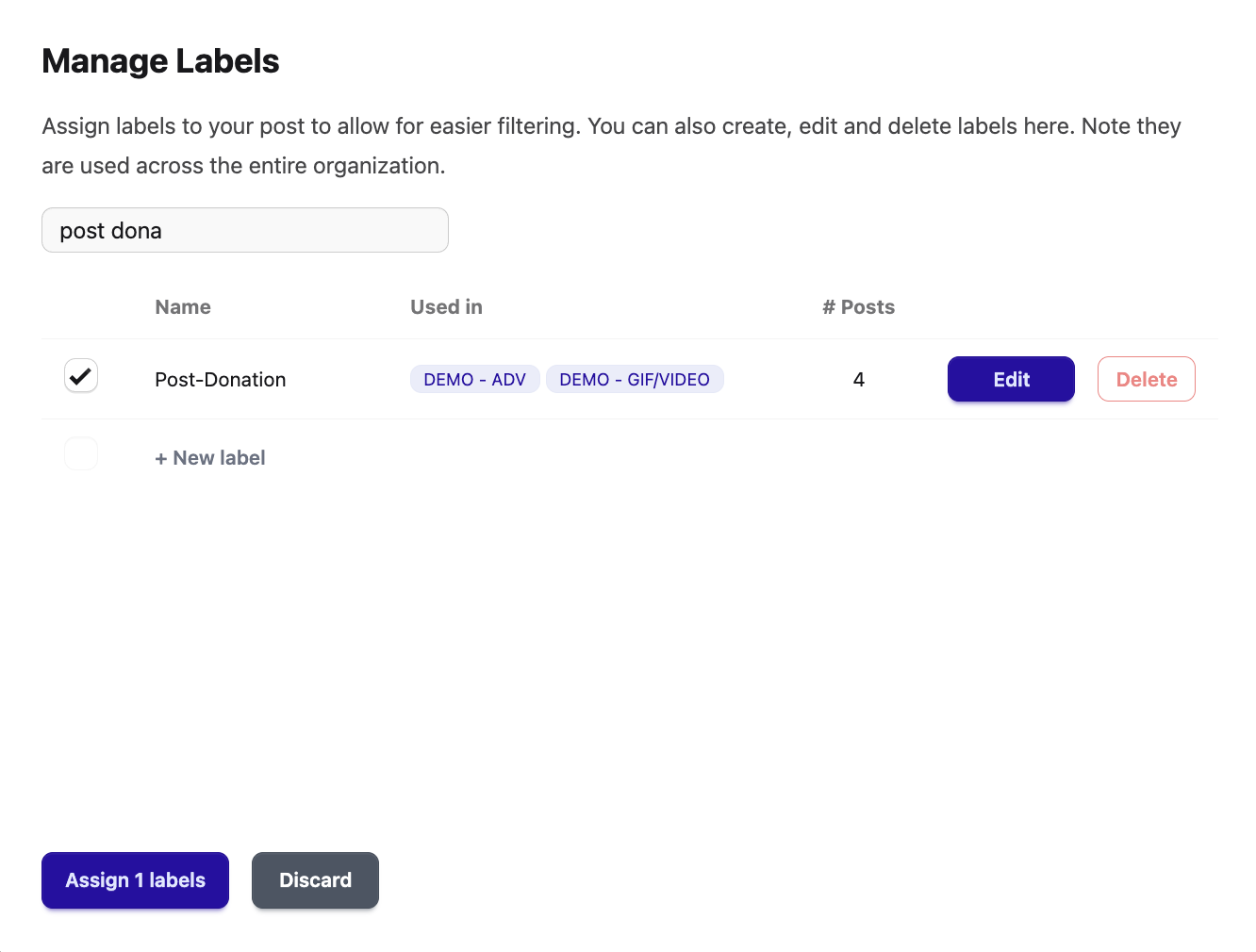
Assign the label/s to save your changes.
Manage Labels from the Action Menu
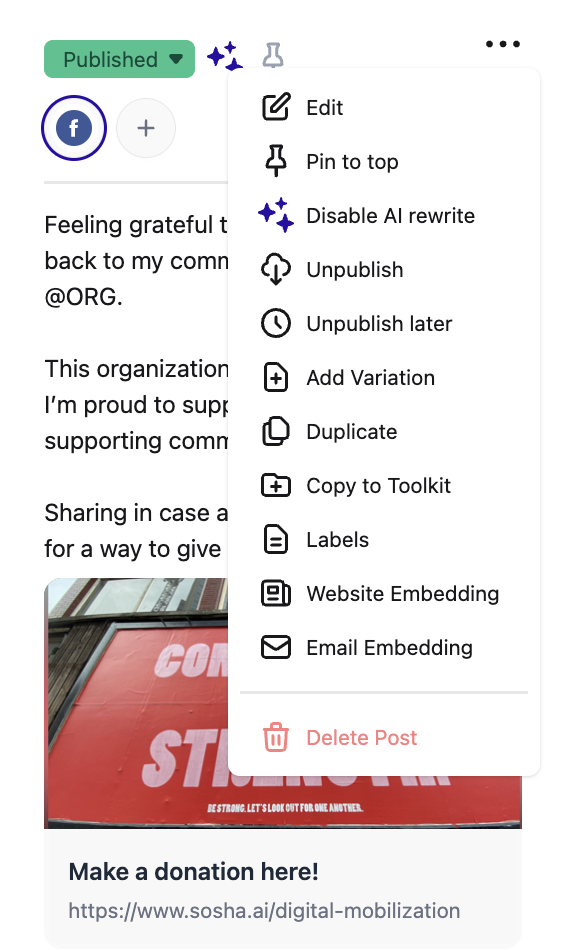
You can also manage labels from the three-dot action menu.
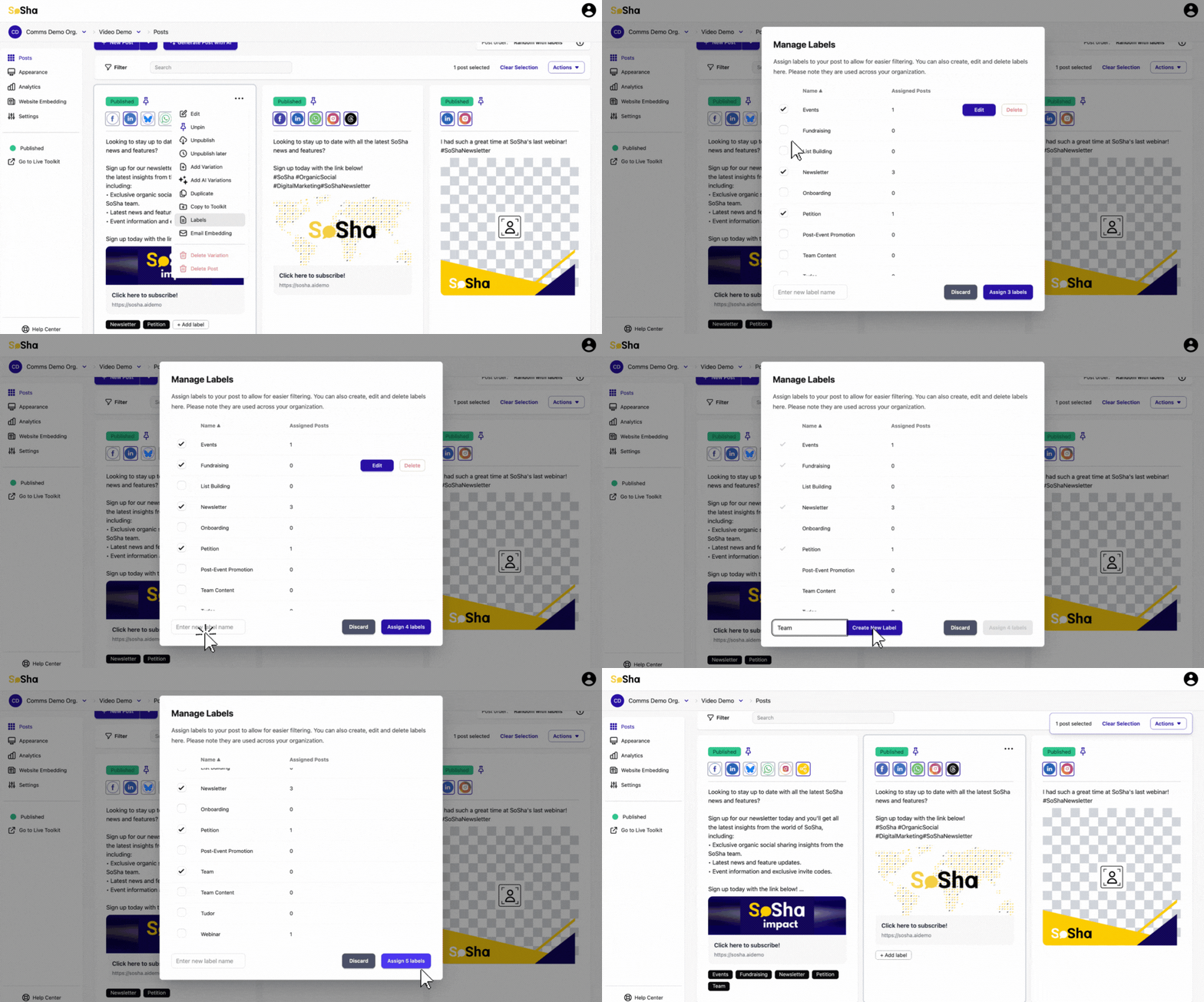
To manage labels for one post, hover over the post and click the three-dot action menu and click 'Labels'. Follow the same instructions as above.
To add labels to multiple posts at once, click on more than one post, then click the three-dot action menu at the top right of the page. Click the labels and the menu will appear to assign them.