
Support Center

Need more help?
Reach out to support@sosha.ai with any additional questions or submit a ticket below.
Submit ticketDuplicating posts
Easily make a copy of a post and all its variations by duplicating it.
To duplicate one post:
- Hover over the post you’d like to duplicate.
- Click the three dots in the corner of the post and select ‘Duplicate.’
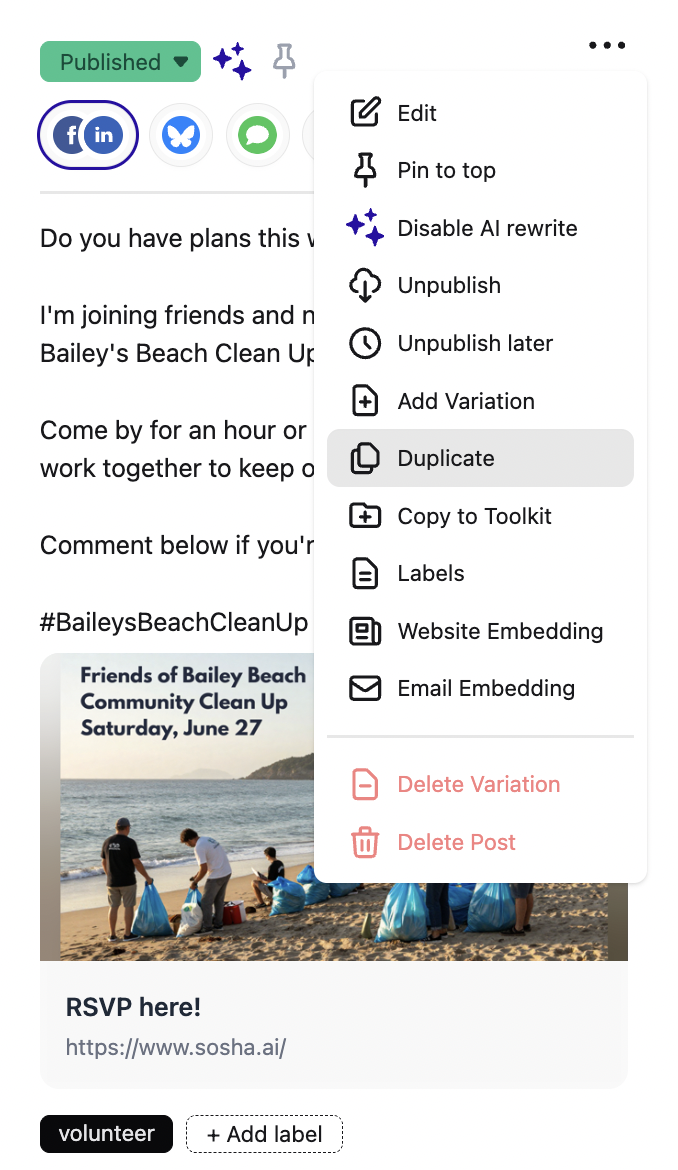

- A copy of the post will appear at the top of the page.
To duplicate more than one post:
Select all the posts you’d like to duplicate.
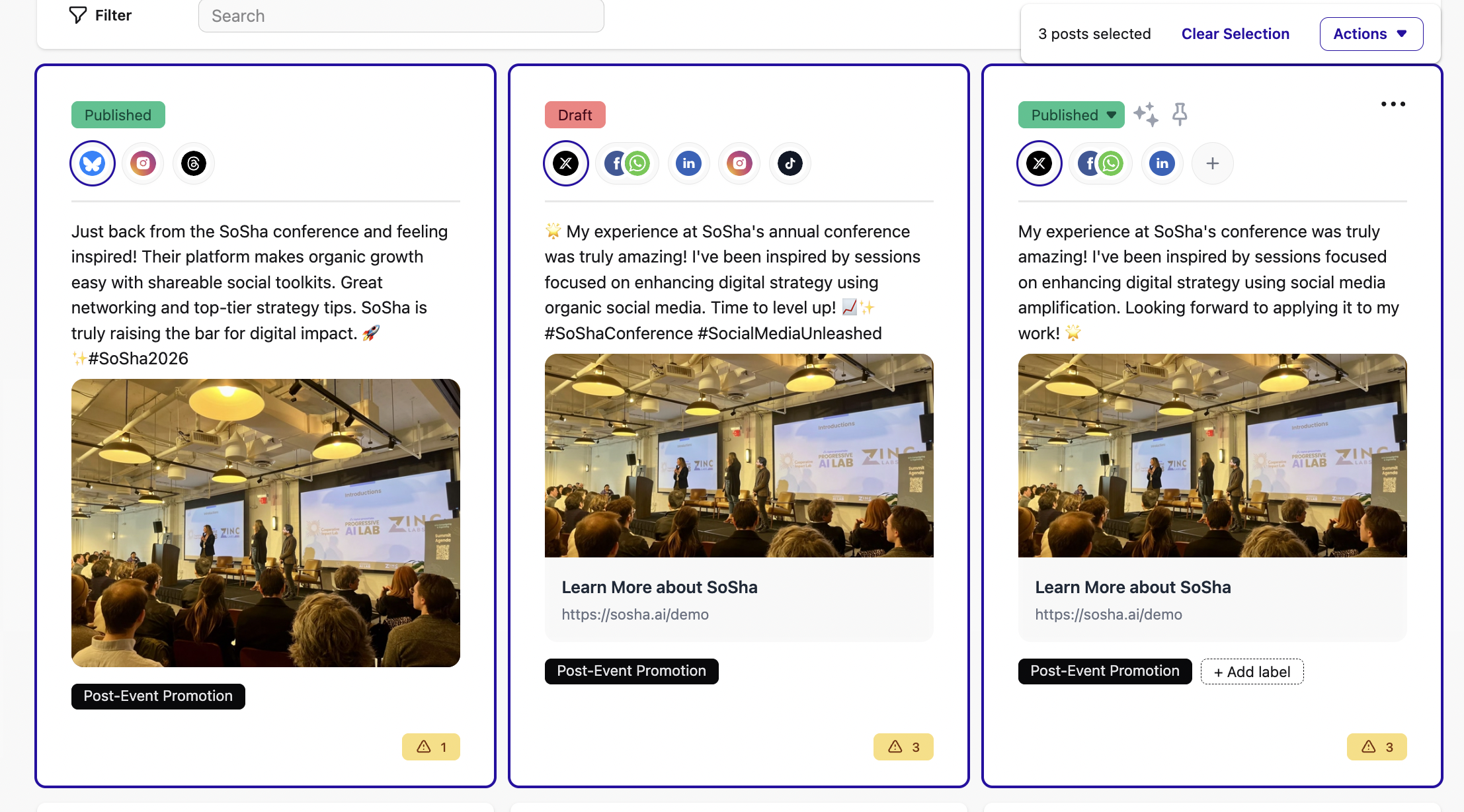
Click the ‘Actions’ button on the right side followed by ‘Duplicate.’

The new copies of posts will appear at the top of the page.