

Reach out to support@sosha.ai with any additional questions or submit a ticket below.
Submit ticketLabel Management
Labels can be assigned to your posts for easier filtering. Many organizations use labels to group posts by theme or audience. Labels are universal across your organization's settings.
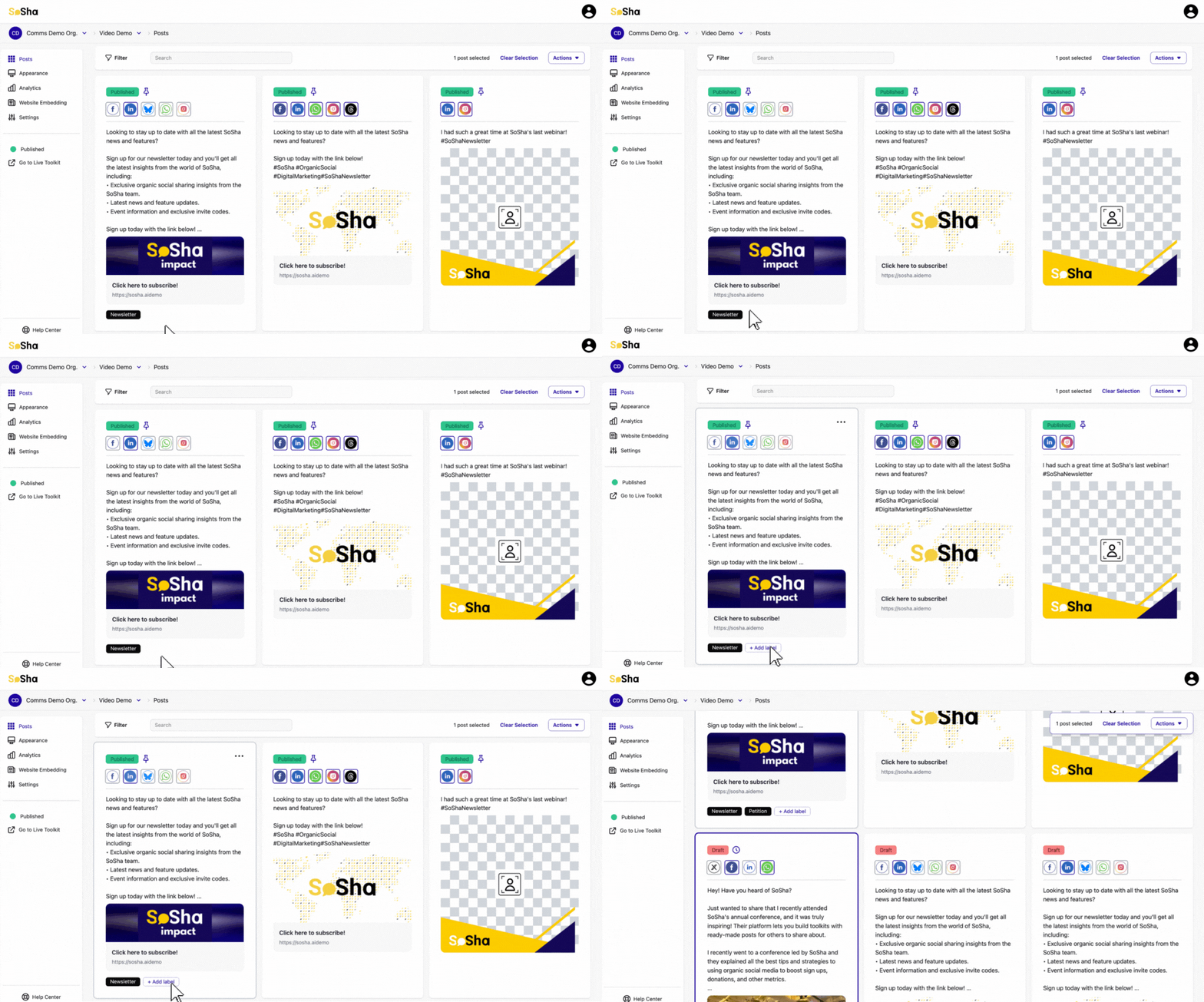
To add a label to one post:
Hover over the post you want to label.
Click the three dots (•••) in the top-right corner of the post and select “Labels.” You can also click the “Add label” button at the bottom of the post as a shortcut.

In the Labels panel, select any existing labels you'd like to apply. To create a new label, type a name into the field in the bottom-left corner.
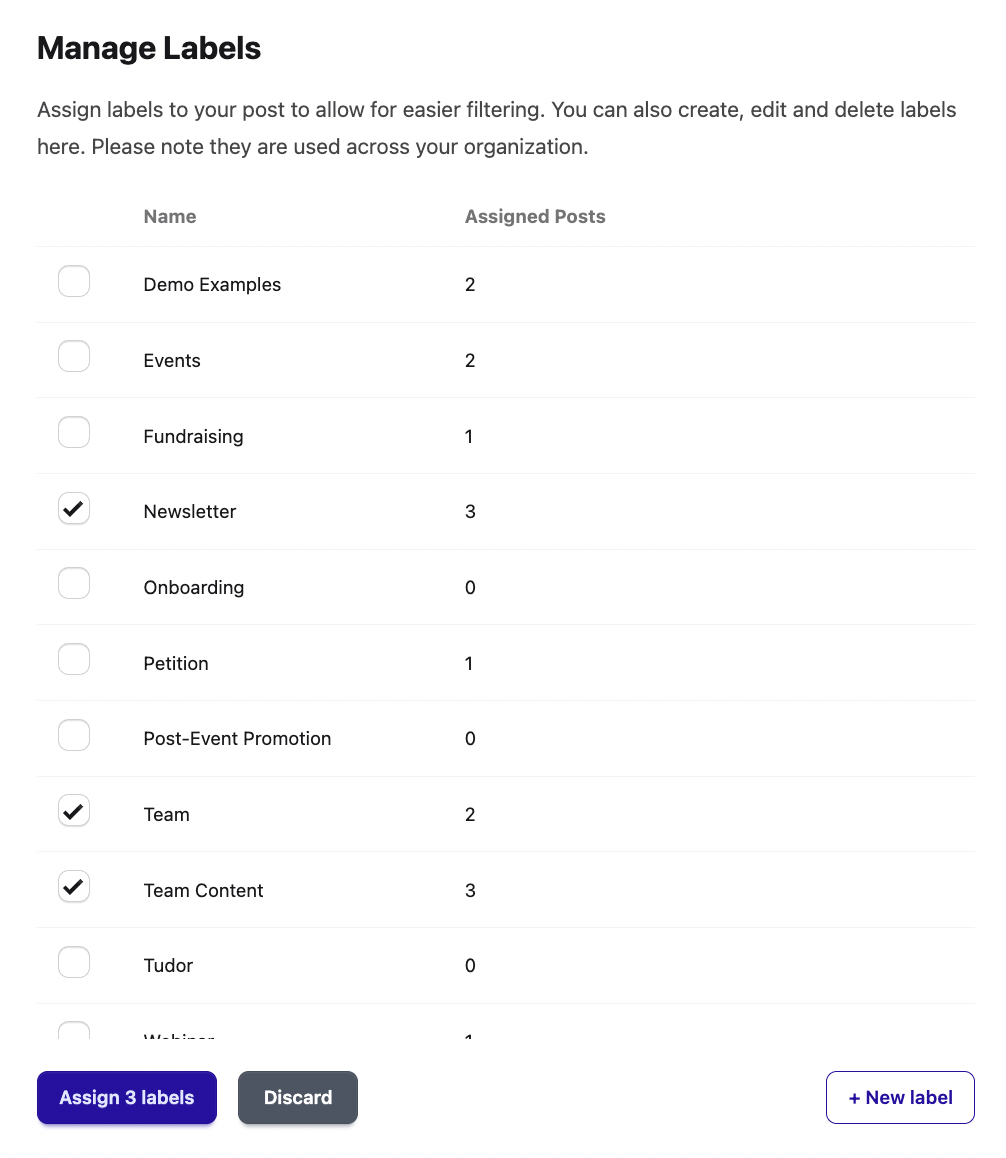
When you're done, click the blue “Apply” button in the bottom-right corner to save your changes.
To add labels to more than one post:
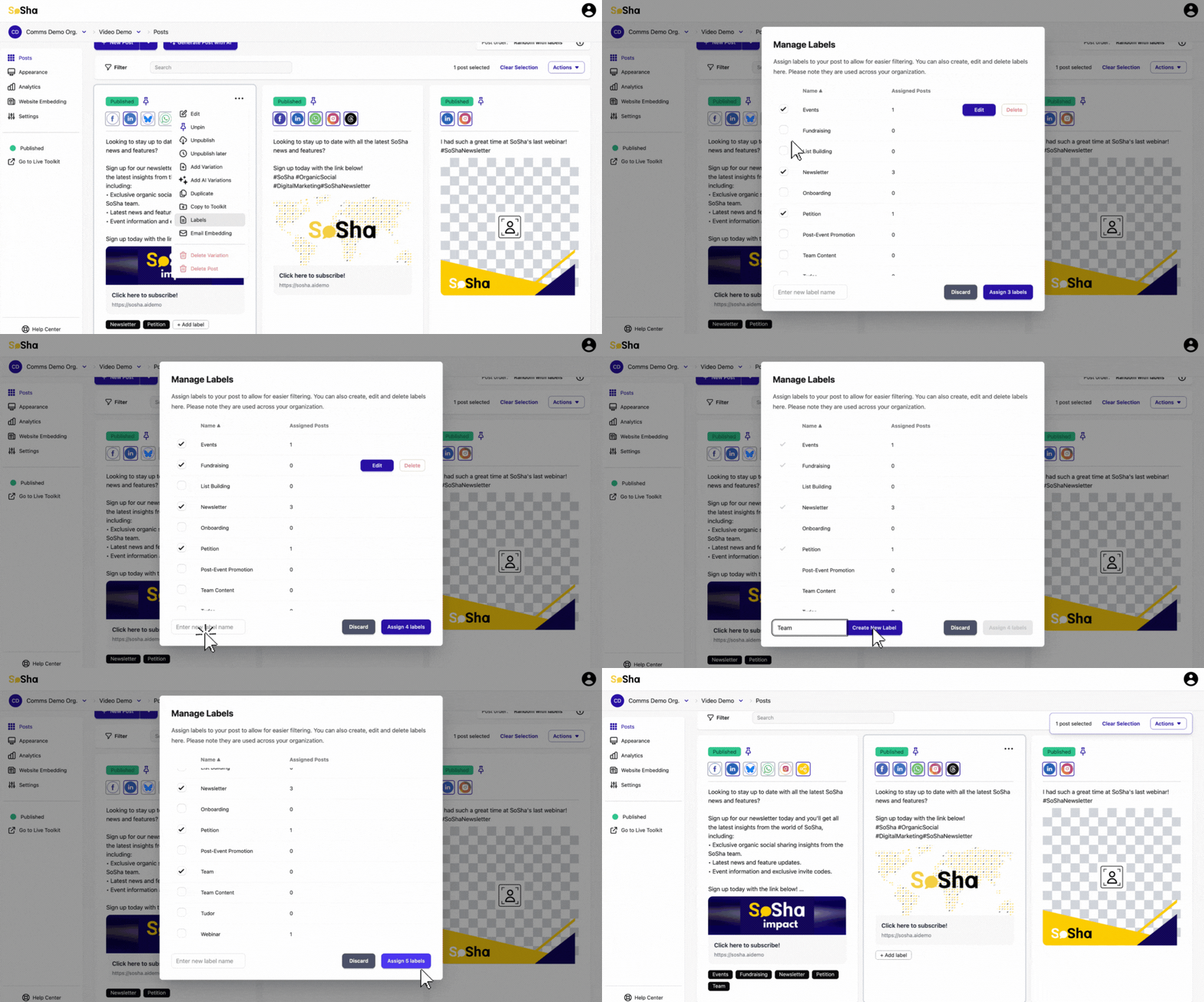
Select all the posts you want to label.
Click the ‘Actions’ button on the right and choose ‘Labels.’
Select the labels you’d like to add to the posts. Add a new label by entering a new title at the bottom left corner.
Once you’ve selected the labels, click the blue button "Assign labels" in the bottom right corner to apply the labels.
By hovering over an existing label, you can also edit the name or delete it completely.