Reach out to support@sosha.ai with any additional questions or submit a ticket below.
Submit ticketDeleting Posts and Post Variations
This guide explains how to permanently remove a post or a post variation. A post is the main piece of content, which may have multiple variations across different social media networks. A post variation is copy designed for a specific social media network and is part of the larger post.
If you want to remove a post from a live toolkit but want to keep the copy for whatever reason, try unpublishing rather than deleting.
Here are the step-by-step processes to delete posts and post-variations.
To delete one post variation:
Click the variation you’d like to delete by selecting its social platform. Then, double-click the post to open the editor.
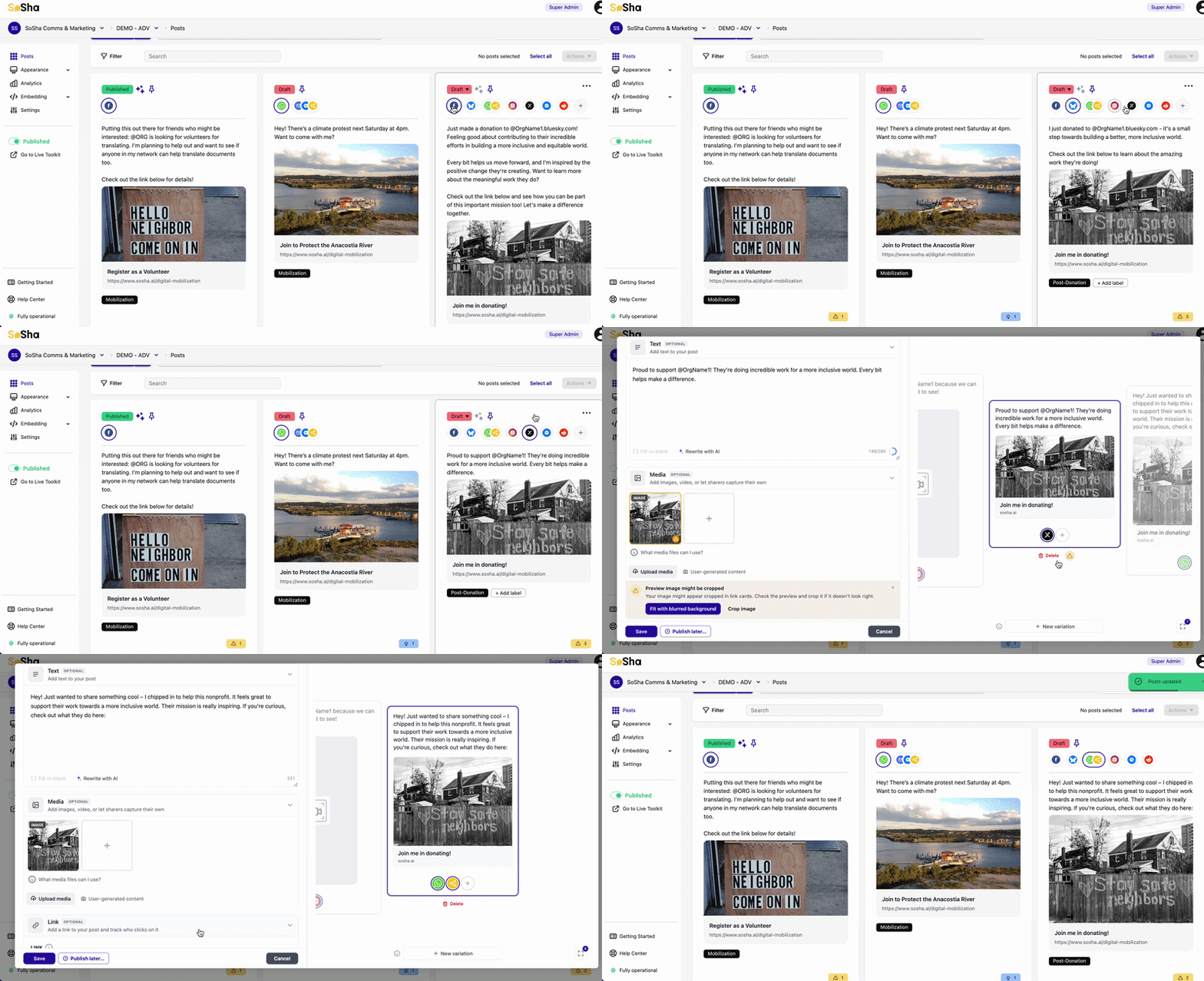
Click 'Delete Variation' at the bottom of the preview.

Alternatively, you can hover a post and click the 'Actions' menu with the three dots.
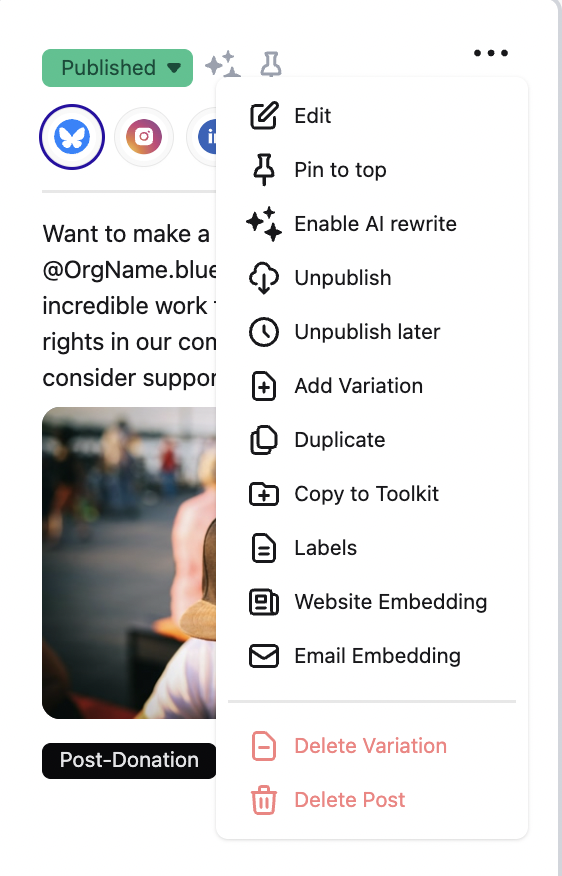
Click the three dot action menu in the corner and select ‘Delete Variation.’
Note: Deleting one post's variation leaves other variations intact.
To delete one post:
Hover over the post that you’d like to delete and click the three dots in the corner. This means that the post and all its variations will be deleted.
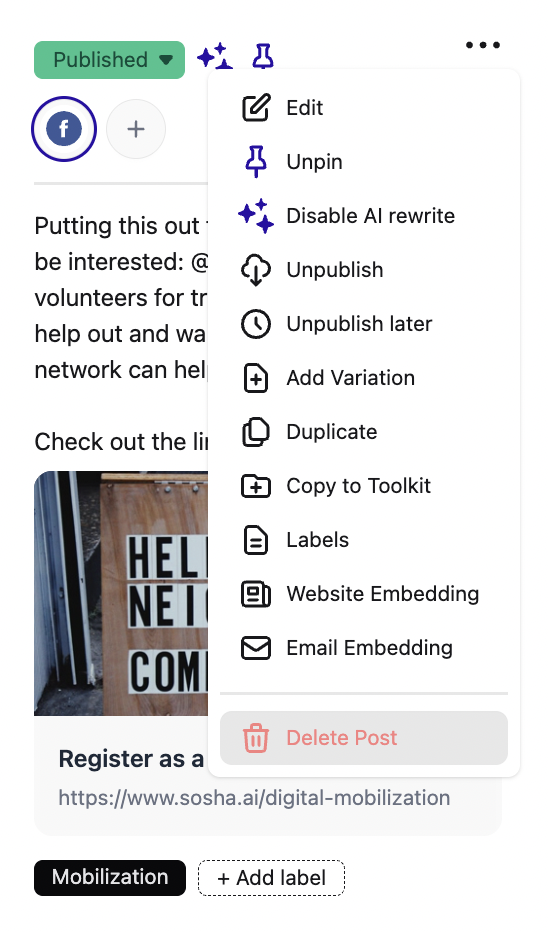
Select ‘Delete Post.’

To delete multiple posts:
Click all the posts you want to delete. A blue frame will appear all the selected posts.
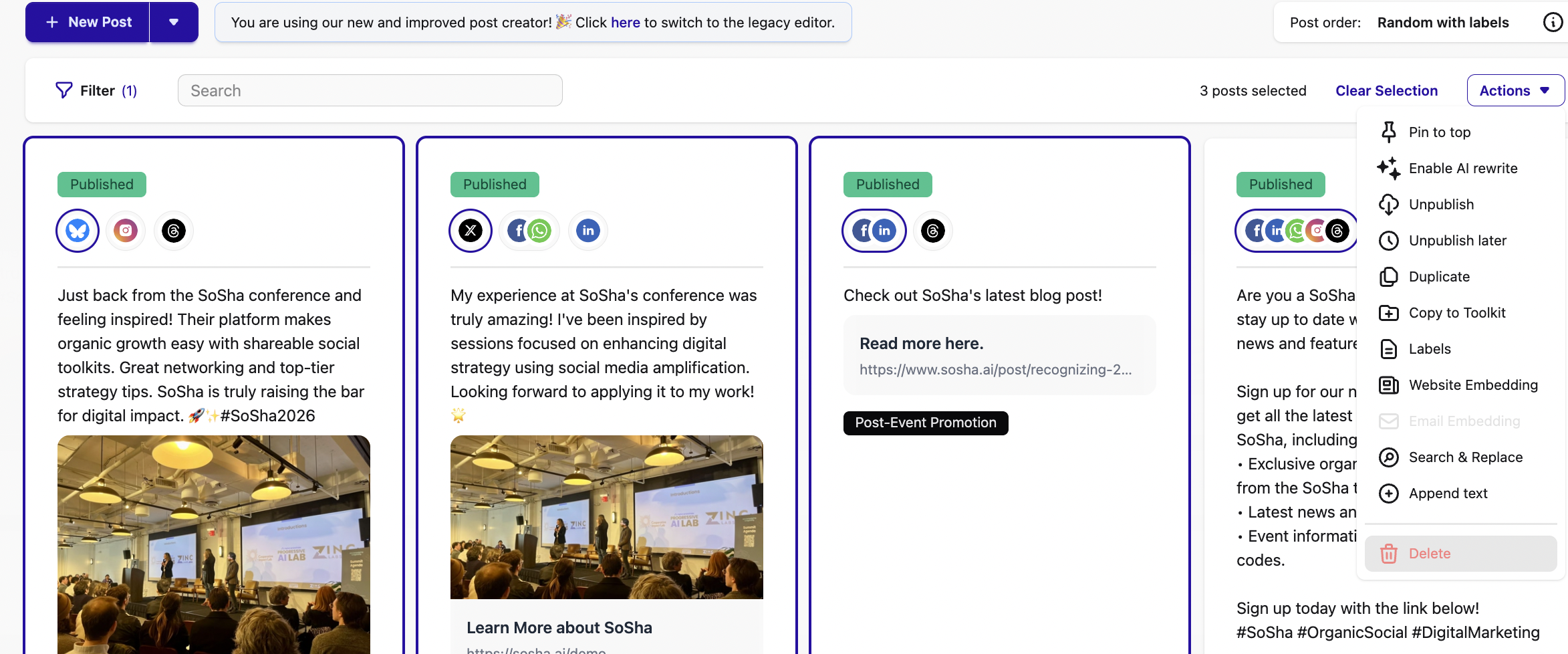
Click the ‘Actions’ button on the right and click ‘Delete.’