
Support Center

Need more help?
Reach out to support@sosha.ai with any additional questions or submit a ticket below.
Submit ticketHow to Set Protected and Prohibited Phrases for AI Post Rewriting
Set organization-level phrase rules to guide how the AI rewrites content when the AI rewriting feature is enabled.
Once set, these phrases are automatically enforced across all toolkits where toolkit owners have enabled AI rewriting.
This feature is especially useful for teams with established brand voice, messaging guidelines, or compliance requirements.
How to Enable Protected and Prohibited Phrases for AI Post Rewriting:
Log in to your organization and click the Settings dropdown in the left-hand menu.
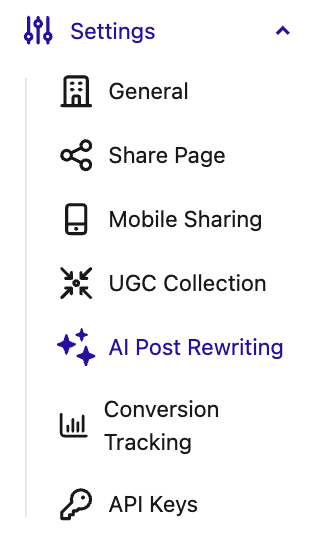
From there, select AI Post Rewriting and click Edit.

Add your phrases under either Protected Phrases or Prohibited Phrases.
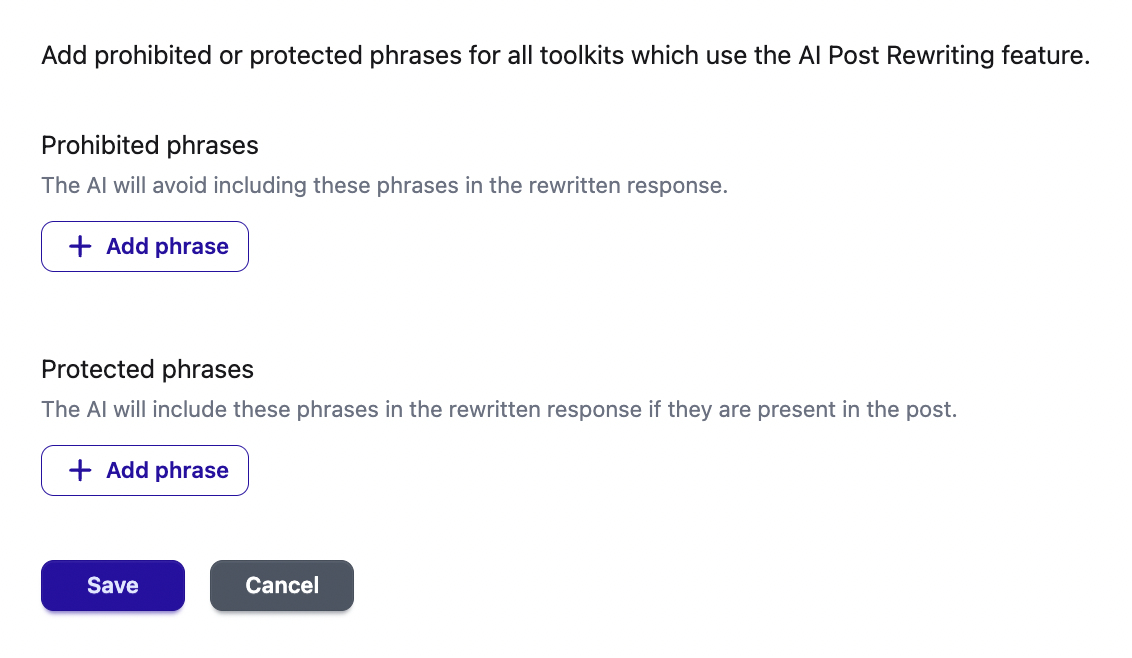
Click Save to apply your changes.